Search & scan
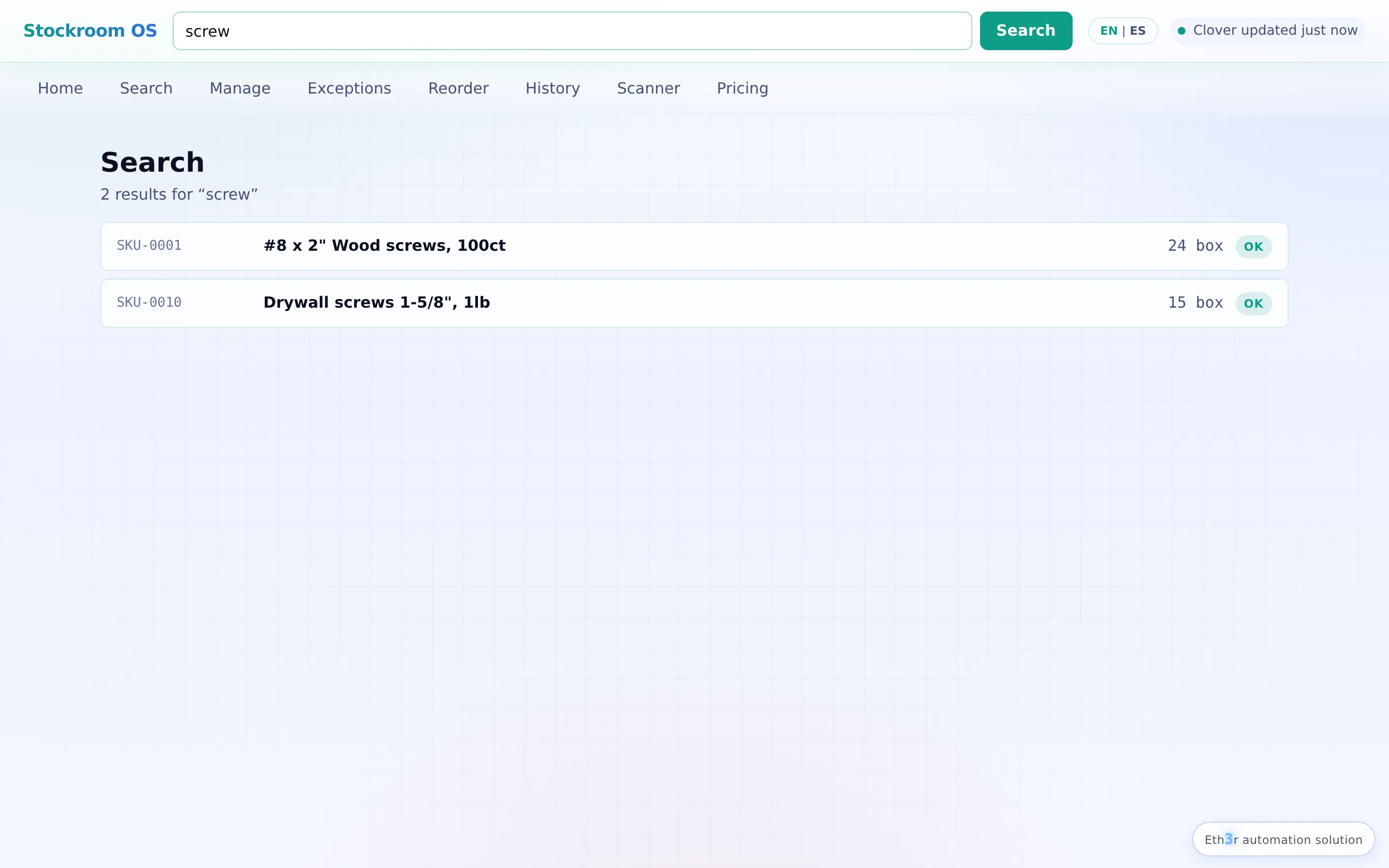
Universal search across barcode, SKU, name, vendor SKU, or brand. Scan a barcode and the item opens instantly.
Stockroom OS sits next to your Clover POS and turns inventory chaos into a calm, auditable workflow. Search any item, receive a shipment, count a shelf, and update Clover safely — with a complete history of every move.
Employees get a guided GUI. Managers get a workbench. You get a CLI. All of them sit on top of an event-sourced ledger so nothing ever gets lost.
Universal search across barcode, SKU, name, vendor SKU, or brand. Scan a barcode and the item opens instantly.
Every update re-reads Clover, writes, re-reads to verify, and logs the movement. No silent overwrites, ever.
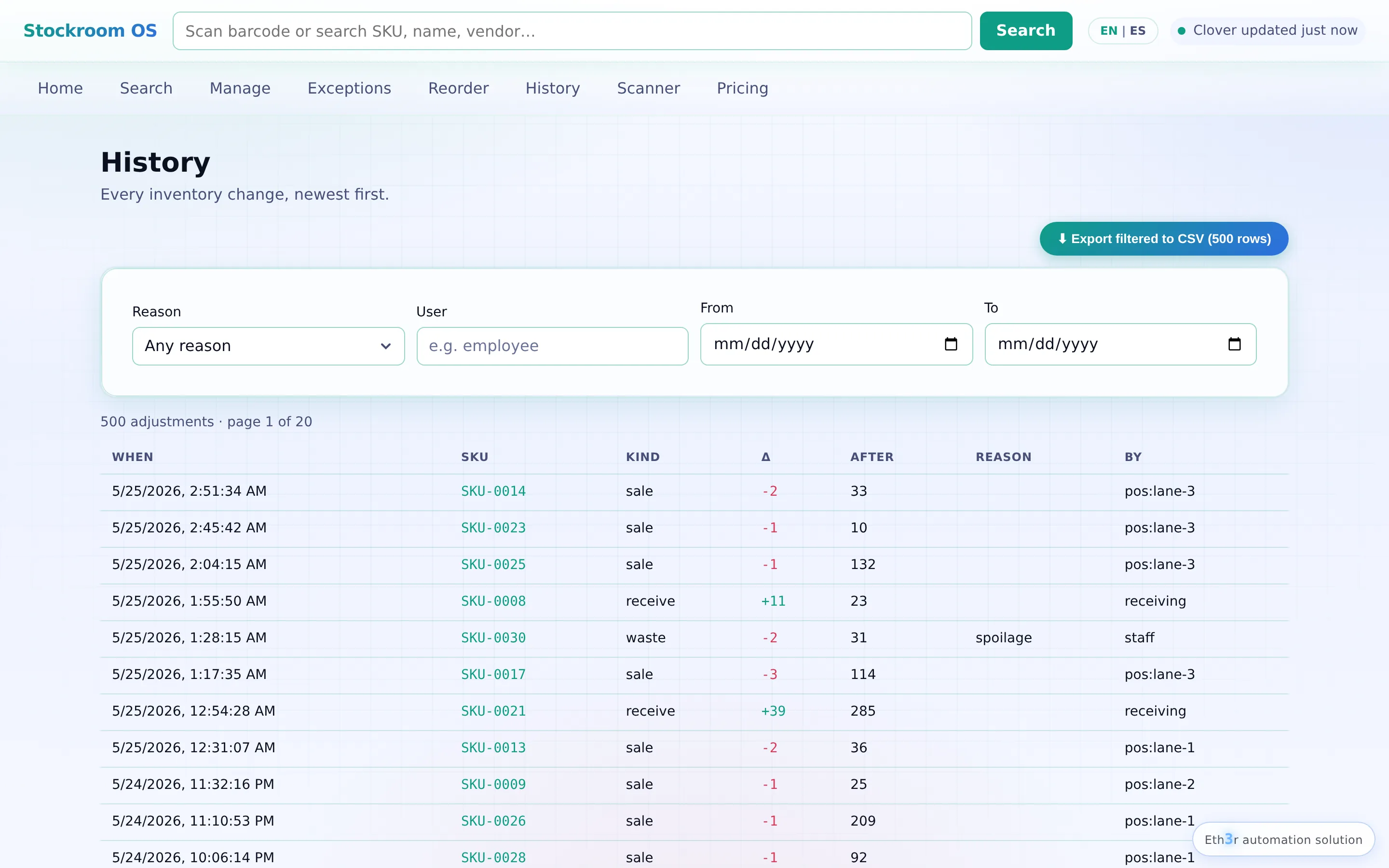
Who, what, when, why, old, new — for every change. Hash-chained, exportable, and tamper-evident.
Scan a shipment line-by-line, capture cost and invoice number, post to Clover, print or export the receipt.
Counts by aisle, vendor, low stock, or "not counted in 90 days." Manager approval for risky variances.
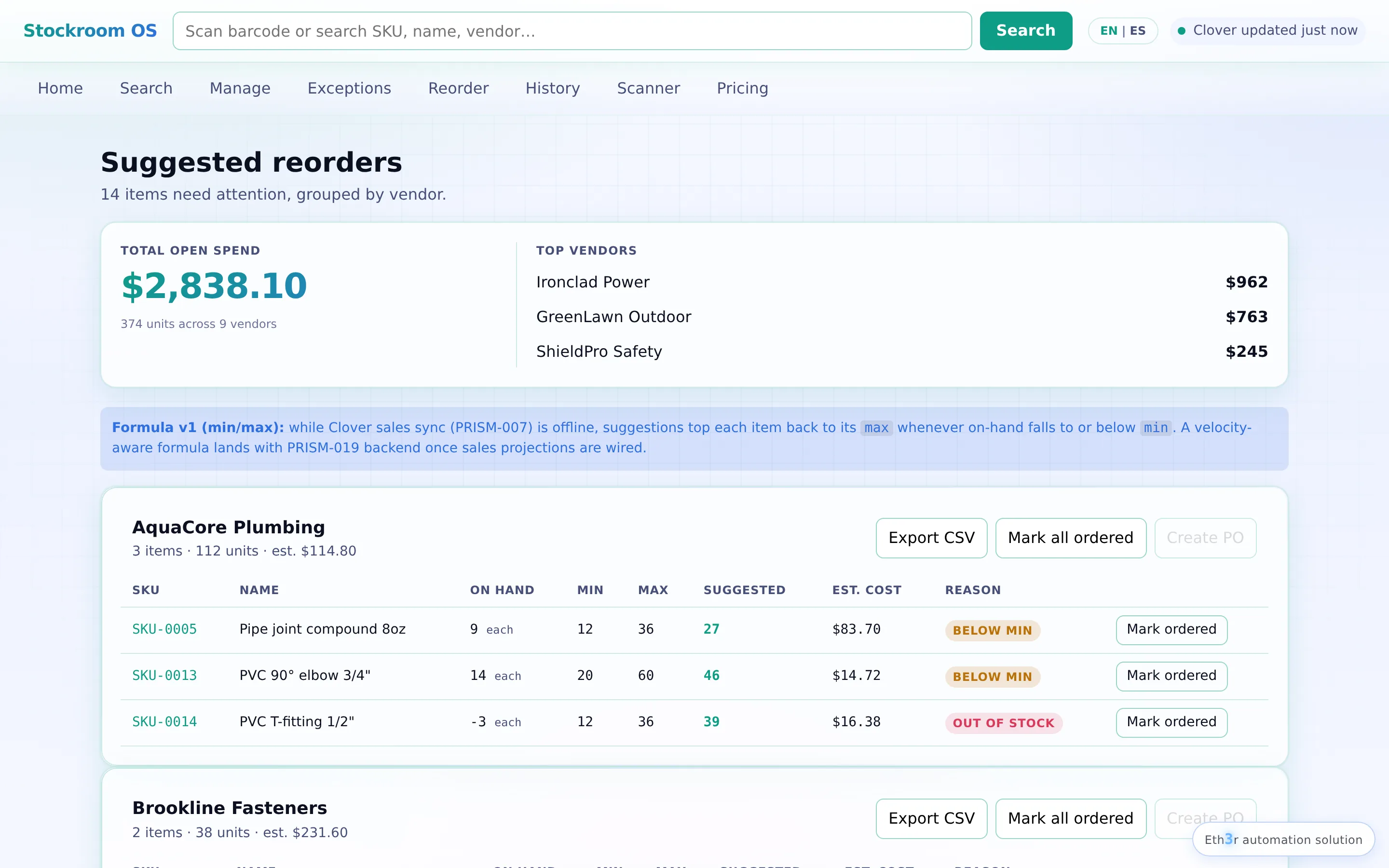
Min/max + lead time + velocity = "order 48 of these by Friday." Convert to a PO with one click.
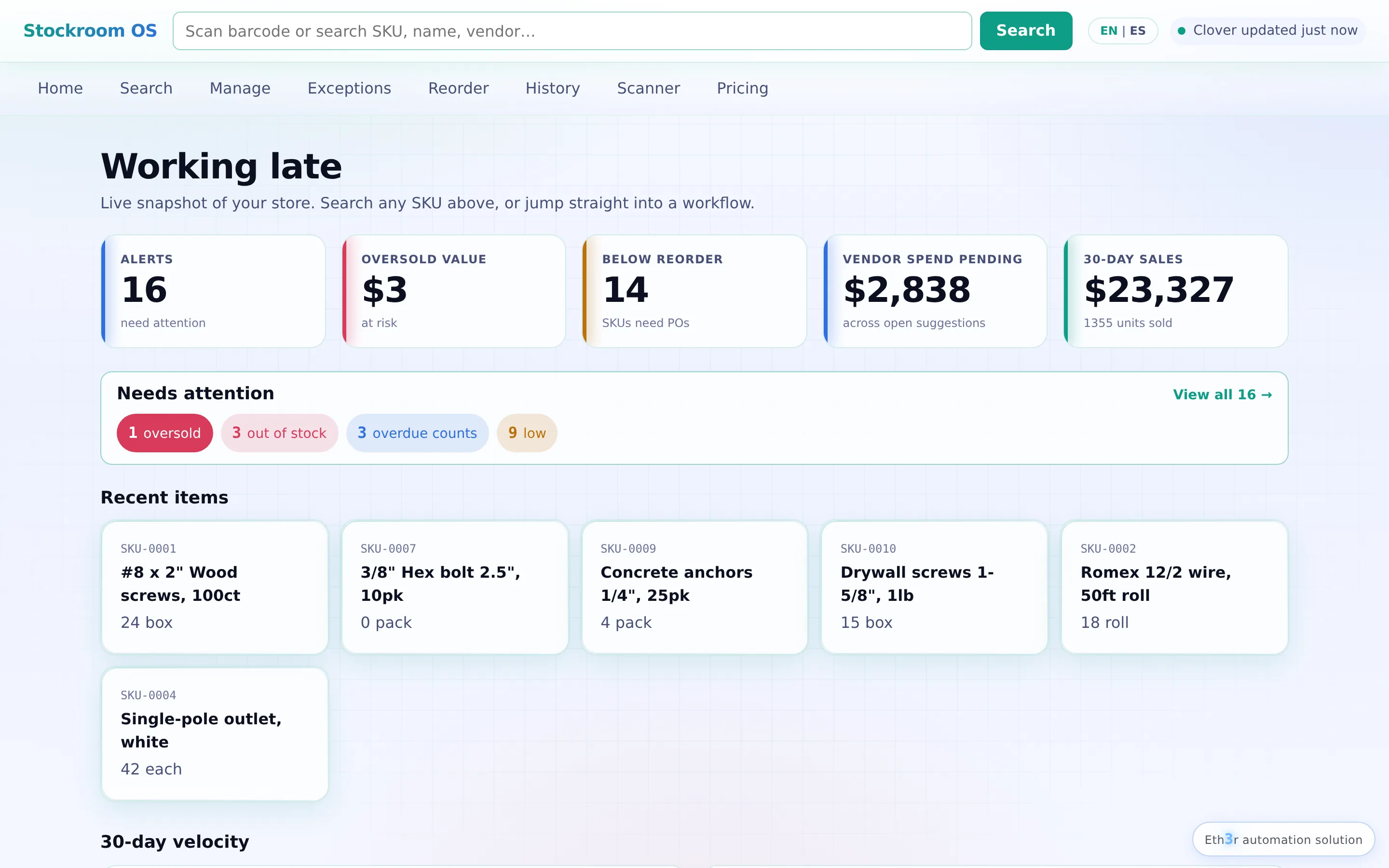
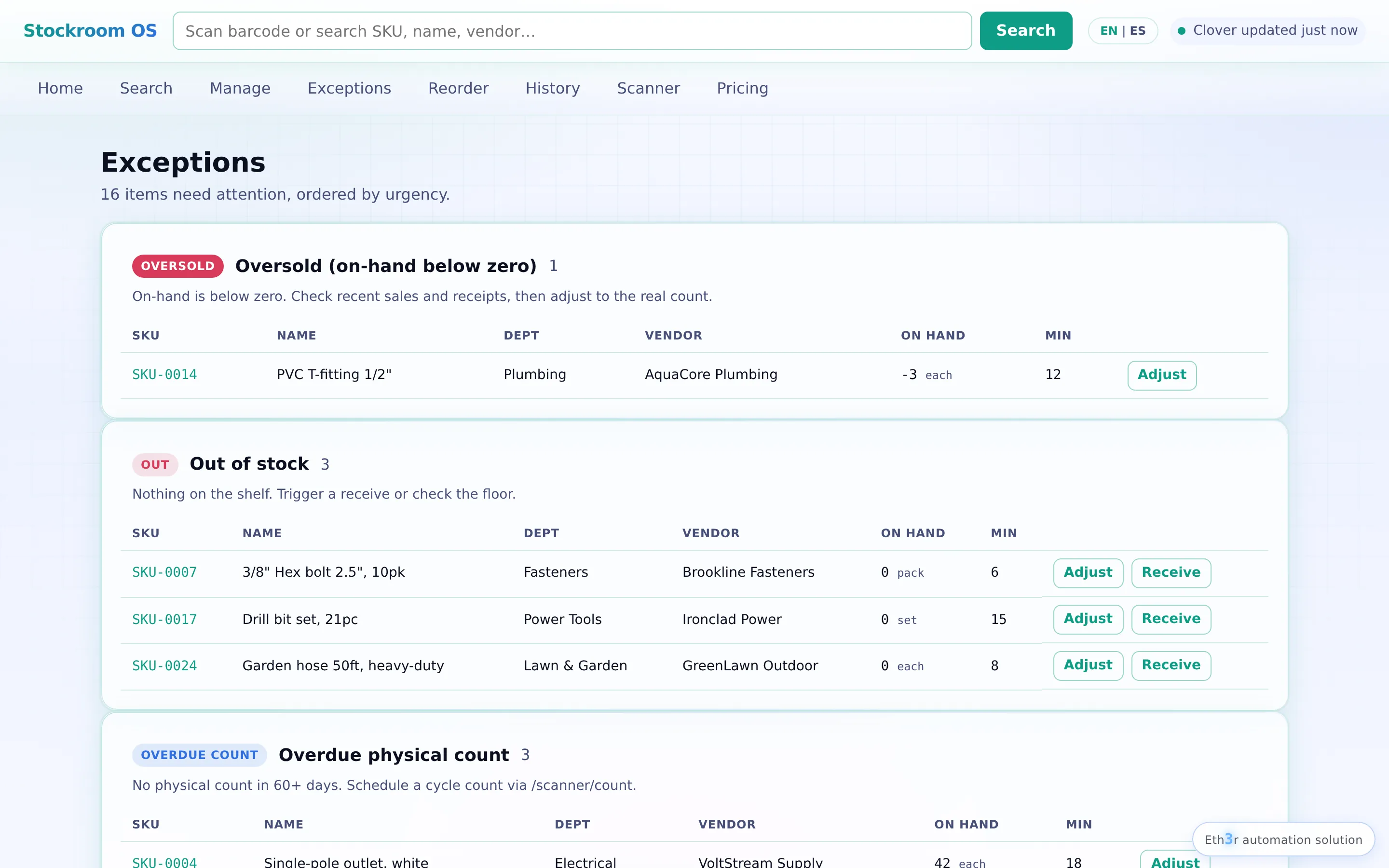
Negative stock, failed syncs, mismatches, missing data — all surfaced as work items with guided fixes.
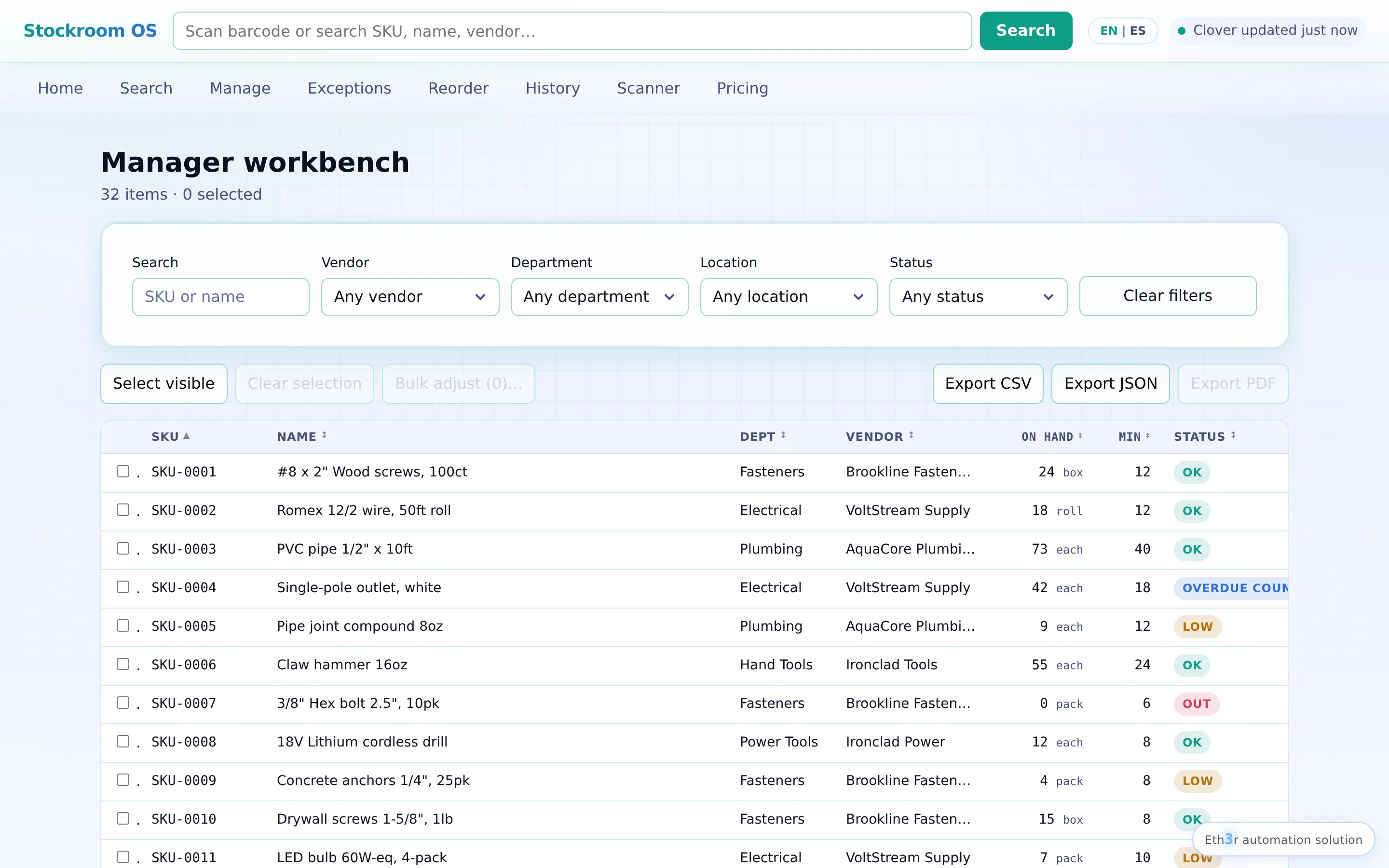
See everything at once — full list of items, filters, bulk edits, and a side panel for details. Run the business from one screen.
Keyboard-first floor workflow for the receiving dock or count aisle. Big text, one task at a time.
Inventory systems are I/O-light and reliability-heavy. The honest tiering, with the actual cost a customer would pay for each setup.
CPU  4 cores (i3-8100+)
RAM  8 GB
Disk 256 GB SSD
Net  Wired ethernet
OS   Win 10/11, Ubuntu, macOS
+    $80 UPS (non-negotiable)
Beelink/Minisforum mini-PC
+ tablet for floor work
+ USB barcode scanner
+ B2 cloud backup
$20/mo VPS (Hetzner, DO)
Managed Postgres above 50 stores
B2 storage for backups
Each store = browser + scanner
Kubernetes-hosted
Postgres + read replicas
Per-store edge node (NUC)
NATS / Redis event bus
Full observability stack
No GPU required. No expensive database licenses. No changes to your Clover POS hardware.
Every customer starts with the $1,500 Foundation install — Clover connected, training done, system live in your store inside a week. From there you choose the monthly tier that fits.
Clover handles sales well. Stockroom OS adds the inventory management work that grows around them.
| What you need | Clover Built-In Inventory | Stockroom OS |
|---|---|---|
| Track items and stock counts | Yes | Yes |
| Search by SKU, barcode, brand, or vendor | Basic item search | Full inventory search |
| Receive a shipment by scanning | Manual updates | Scan, check, and confirm |
| Count one section at a time | Basic stock updates | Cycle counts with review before changes post |
| Set reorder levels | Plan/app dependent | Min/max levels with reorder suggestions |
| Create Clover purchase orders | Plan/app dependent | Build, send, receive, and close purchase orders |
| Keep vendor costs, contacts, and lead times together | Limited or app dependent | Built into the workflow |
| See what needs attention next | Limited | Clear fix list with guided steps |
| Cloud backup with 12-month retention | Plan dependent | Pro tier and up |
| Move stock between locations | Plan/app dependent | Business tier stock transfers |
| See who changed inventory and why | Basic history where available | Tamper-evident audit history |
If you only need to ring up sales and check stock totals, Clover built-in inventory may be enough. When receiving, counting, ordering, vendor follow-up, or accounting cleanup becomes part of your week, Stockroom OS fills that gap. It runs next to Clover, not instead of it, so your till stays where it is.
Replaces sticky notes and counter-trips. Live in your store inside a week. Every customer starts here.
Step 2 · Pick a monthly tier — each one adds the next relief.
For the store that wants receiving and low-stock alerts handled.
Ordering takes 20 minutes a week instead of 4 hours. You stop running out of bestsellers.
You run the business from one screen. You make decisions on data, not gut.
Bigger operation? Enterprise — your branding, your POS of choice, hosted however you need, full security paperwork. Request a quote.
No. Clover stays your point of sale, catalog, and checkout. Stockroom OS is the back-office layer — receiving, counting, ordering, reporting, and audit. We update Clover's stock field carefully and verify every write.
The MVP runs locally on your PC, so search and history keep working. Stock changes queue up and sync to Clover when the connection returns. From Pro onward, the queue is visible and resumable on demand.
Almost certainly not. Tier 1 runs on the PC you already have at the counter. We strongly recommend a $80 UPS — that's the one piece of hardware we insist on, because power blips corrupt databases mid-write.
Six to eight weeks from kickoff. Week 1: Clover sandbox setup. Weeks 2–5: build, with weekly check-ins. Week 6: on-site install + employee training. Week 7–8: shakedown period with daily monitoring.
Yes, monthly. You drop back to the lower tier (or keep just the MVP) and your data stays exactly where it is. No hostage data, no migration fee, no penalty.
Your local database is yours. We provide a one-command export of every item, movement, vendor, and purchase order in open formats (CSV, JSON). The event ledger is portable and human-readable.
Yes. All credentials live in a secrets store (never hardcoded). Cloud backups are encrypted in transit and at rest. The audit ledger is hash-chained so tampering is detectable. SOC 2 / PCI evidence packages are part of the Enterprise tier.
Today, Clover only. The architecture is POS-adapter-based, so Square and Lightspeed are next. If you're an Enterprise customer, we can prioritize your POS as part of the engagement.
A live demo runs at eth3r.ai/stockroom/demo. Click through it yourself. Below are the screens you'll spend the most time in.

20-minute call. You walk me through how you handle inventory today, I show you which tier matches your operation, and we decide together whether there's a fit. No hard sell.